Mapping Tonal Harmony Pro

Interactive Harmony Map, Backing Tracks, Chord-Scales, Rearmonización & Harmonic Analysis
Harmonic Analysis • Backing Tracks • Chord-Scales • Upper Structures • Target Notes • Rearmonización • 12-Key Workouts • Jazz Standards Analysis • and more…
★★★★★
“Mapping Tonal Harmony Pro wins our strongest recommendation for an app so far.” — The Berklee Groove
iOS Version macOS Version
Note: iOS and macOS are currently separate App Store purchases.
MTH Pro Icon

Mapping Tonal Harmony Pro

Explore harmony by function. Analyze progressions. Practice with backing tracks.
Mapping Tonal Harmony Pro overview

Key Features

Interactive Harmony Map
Explore harmony across levels and styles, from Classical to Jazz and Pop.
Auto-Analysis Engine
Paste a chord progression and instantly see complete harmonic analysis.
Multi-Layered Analysis
Chords, chord-scales, Roman numerals, arrows & brackets, fully synchronized.
Accompaniment Players
Practice with intelligent players that adapt to style and progression.
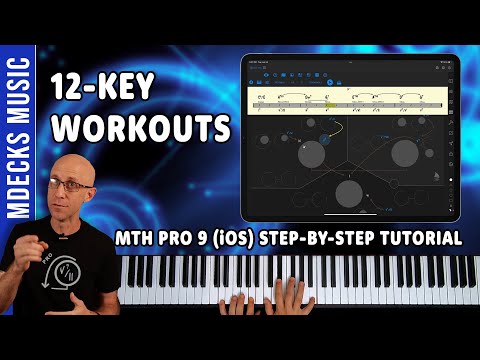
Backing Tracks & 12-Key Workouts
Jam over progressions with accompaniments in multiple styles and grooves.
Target Notes Trainer
Focus on essential notes through progressions to sharpen accuracy.
Upper Structure Explorer
Experiment with triads and quartals as upper structures over any chord.
One-Click Reharmonizer
Reharmonize a song using effective reharmonización techniques.
Pre-Loaded Library
Study analyzed works from Classical repertoire to modern changes.
Jazz Standards Add-On
Access a large standards library with analysis and practice tools.

Discover Mapping Tonal Harmony Pro

Looking for a backing tracks app to help you master tonal harmony? Mapping Tonal Harmony Pro is built to help musicians understand and explore harmony through an interactive chord and scale map, analysis tools, and customizable practice modes.

Dive into a library of backing tracks, chord progressions, and tailored exercises to support your learning journey and accelerate your harmonic vocabulary.


FAQ: What is the Interactive Maps PDF Version?

With the interactive PDF version, you can navigate the maps in any key and across multiple levels of complexity. It works on any device (Android, Apple, Windows, etc.) and has no learning curve—just start using it. Note: The PDF version does not include sound capabilities (backing tracks).

How Musicians Use Mapping Tonal Harmony Pro

User Type Typical Use-Cases Most Helpful Features Key Benefit
Jazz Pianists / Compers
  • Choose chord-scales and tensions instantly
  • Build functional voicings and substitutions
  • Practice progressions with backing tracks
  • Move ideas through all 12 keys
Chord-Scale Map, Backing Tracks, 12-Key Workouts, Reharm Tools Faster harmonic decisions at the piano
Improvisers
  • Target notes through changes with control
  • Practice approach-tone vocabulary over dominants
  • Rehearse “inside/outside” options by function
  • Lock in voice-leading while you solo
Target Notes Trainer, Upper Structures, Chord-Scale Pairing, Analysis Layers Cleaner lines with intentional color
Arrangers
  • Rearmonizar standards and pop tunes quickly
  • Test substitutions and cadences by function
  • Plan modulations and pivot strategies
  • Validate harmonic logic with analysis
Auto-Analysis, Reharmonizer, Function Map, Roman Numerals More intentional reharmonización and smoother movement
Composers (Film / Game)
  • Generate harmonic palettes for cues
  • Explore style-based analysis (Classical/Jazz/Pop)
  • Prototype progressions with accompaniment
  • Find “next chord” options without breaking flow
Style Modes, Backing Tracks, Map Navigation, Pre-Loaded Library Faster iteration and stronger harmonic storytelling
Note: iOS and macOS are currently separate App Store purchases.